
The safest way to use a kids RC helicopter is to prepare a clear flight area, inspect the rotors, charge it correctly, keep people and pets away, begin with low-altitude hovering, and practice controlled landings before trying more movement.
If you are still learning how the toy works, start with what a remote control helicopter for kids is. This article assumes you already have the toy — or are about to — and want a clear, practical safety routine that works the very first time.
How to Use a Kids RC Helicopter Safely
- Charge the helicopter as instructed.
- Inspect the rotor blades and body.
- Clear a large indoor area.
- Turn off ceiling fans.
- Keep people and pets back.
- Start with a low hover.
- Use gentle control inputs.
- Land before picking it up.
- Switch it off before touching the rotors.
Check → Clear → Power → Hover → Land
The five-step safety workflow behind every session
Kids RC Helicopter
First flights should always be low and slow
Check
Inspect blades, body, and controls.
Clear
Prepare a safe flight zone.
Power
Charge and switch on correctly.
Hover
Practice low, controlled flight.
Land
Bring it down safely before handling.
Check → Clear → Power → Hover → Land
Step 1: Inspect the Helicopter Before Every Flight
Parents should check:
- Cracked rotor blades
- Bent rotor blades
- Loose parts
- Damaged body shell
- Exposed wiring
- Loose battery cover
- Damaged charging port
- Dirt or hair around moving parts
Never fly the helicopter if a rotor blade is cracked, loose, or visibly bent. Damaged blades are a common cause of crashes and can detach mid-flight.
For broader toy safety guidance, the U.S. Consumer Product Safety Commission publishes age labeling, recalls, and hazard information on children’s products.
Step 2: Charge It Correctly
Tell readers to:
- Use the supplied or recommended charging method
- Charge on a dry, stable surface
- Keep away from heat
- Do not cover the toy while charging
- Stop using damaged cables
- Let the battery cool if manufacturer guidance requires it
Do not assume specific charging times, battery chemistry, voltage, or flight duration. Those details vary by model, so check the product listing or manual.
Pre-Flight Check
Six checkpoints before every flight
Rotors
Check for cracks, bends, and loose fit.
Body
Look for cracks or loose panels.
Battery
Confirm charge and secure cover.
Remote
Check power and pairing.
Charging Port
Confirm no damage or moisture.
Flight Area
Clear of fragile objects and people.
Step 3: Choose a Safe Indoor Flight Area
The room should have:
- Clear floor
- No ceiling fan running
- No hanging lights nearby
- No fragile decorations
- No open windows
- No stairs close to the flight zone
- No pets moving through the room
- Enough vertical clearance
A useful rule: the first flight should happen in the emptiest suitable room available, not the most crowded one. A clear room is safer and more fun.
Safe Flight Zone
A simple top-down view of an indoor flight layout
Takeoff Pad
A flat, clear floor area in the centre of the room.
↓
Hover Zone
Open space above with no furniture directly underneath.
↓
Clear Movement Area
Room to move forward, turn, and return.
↓
Landing Zone & No-Fly Zones
Avoid people, pets, TVs, windows, ceiling fans, and glass objects.
Step 4: Turn On the Remote and Helicopter Correctly
Follow the manufacturer’s pairing and power-on instructions for the specific model. Some toys may require:
- Remote first
- Helicopter first
- Pairing indicator
- Calibration step
Do not assume a universal sequence. The startup order matters for pairing, and getting it wrong can leave you troubleshooting a toy that works perfectly.
What If the Remote Does Not Connect?
Quick troubleshooting:
- Turn both devices off
- Check batteries
- Move closer
- Follow pairing instructions
- Remove interference if relevant
- Restart according to the manual
Do not open electronics or modify the transmitter. If the remote still will not connect after following the manual, contact the manufacturer or seller.
Step 5: Start With a Low Hover
Recommended:
- Lift only slightly off the floor
- Hold position briefly
- Avoid climbing high immediately
- Land and repeat
A simple beginner cycle to repeat:
Take off → hover → land
Repeat this before trying turns or longer flights. Staying low keeps the toy under control and makes mistakes easy to correct.
Beginner Flight Path
Five simple stages for a first session
Takeoff
Lift gently off the takeoff pad.
↓
Low Hover
Hold steady just above the floor.
↓
Small Move
Try one gentle forward movement.
↓
Return
Bring it back to the takeoff zone.
↓
Land
Let it settle fully, then power off.
Step 6: Use Small Control Inputs
Beginners often crash because they move the controls too aggressively. Encourage:
- Small corrections
- Slow turns
- Short forward movement
- Gentle altitude changes
Avoid giving advanced aerobatic techniques. This toy is for beginner play, not stunt flying.
Keep Hands Away From Moving Rotors
- Do not grab the helicopter while rotors spin
- Do not stop blades with fingers
- Keep long hair away
- Keep loose clothing away
- Turn off power before handling
This is a key safety rule. Even small rotors spin fast enough to cause injury. Safe Kids Worldwide publishes injury-prevention resources for children’s toys in general, and the U.S. Consumer Product Safety Commission covers toy safety guidance.
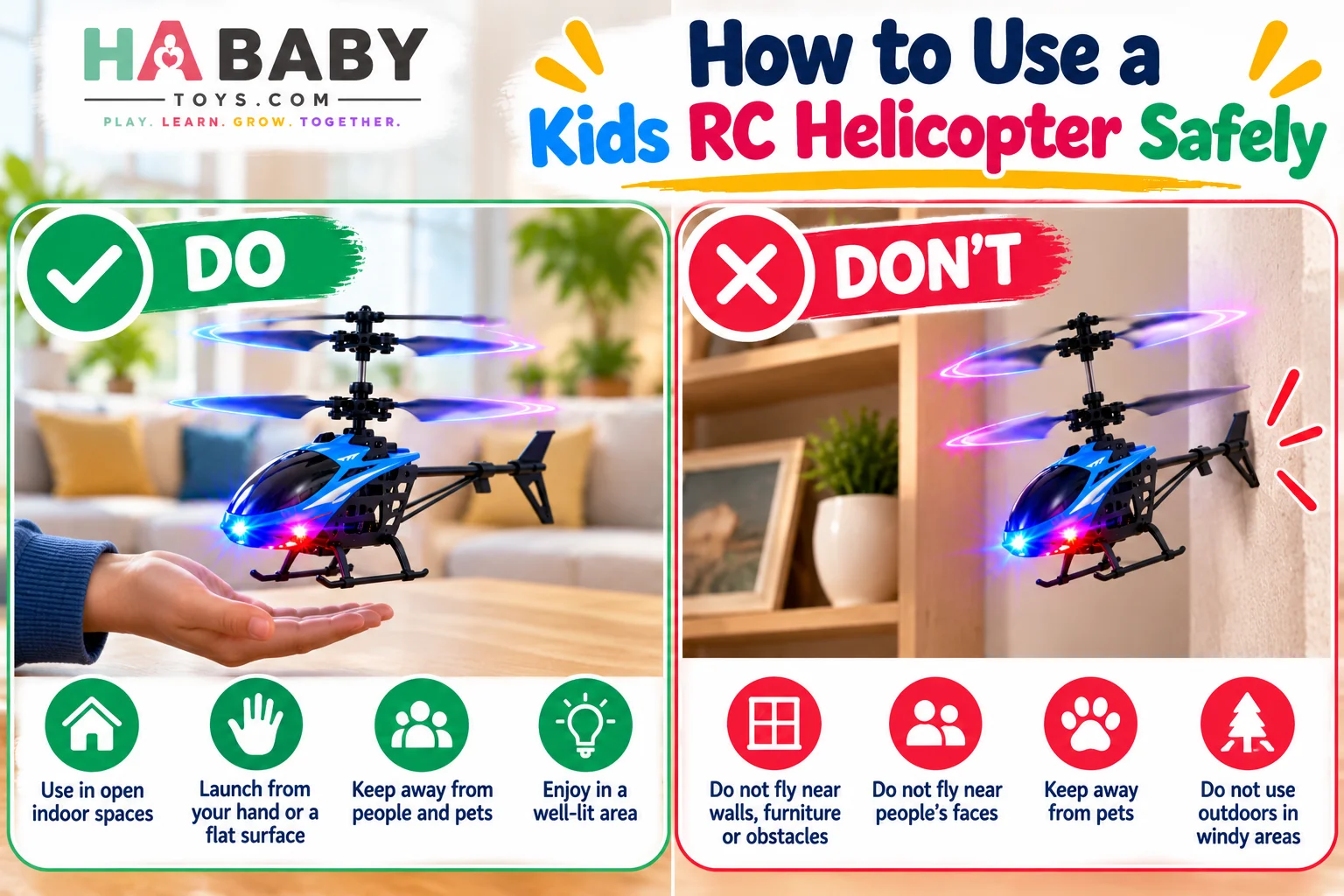
Step 8: Keep People and Pets Out of the Flight Path
Recommend:
- One pilot at a time
- Spectators behind the pilot or outside the flight zone
- Pets in another room
- Younger siblings kept back
A mini helicopter may be light, but its moving rotors still require space and supervision.
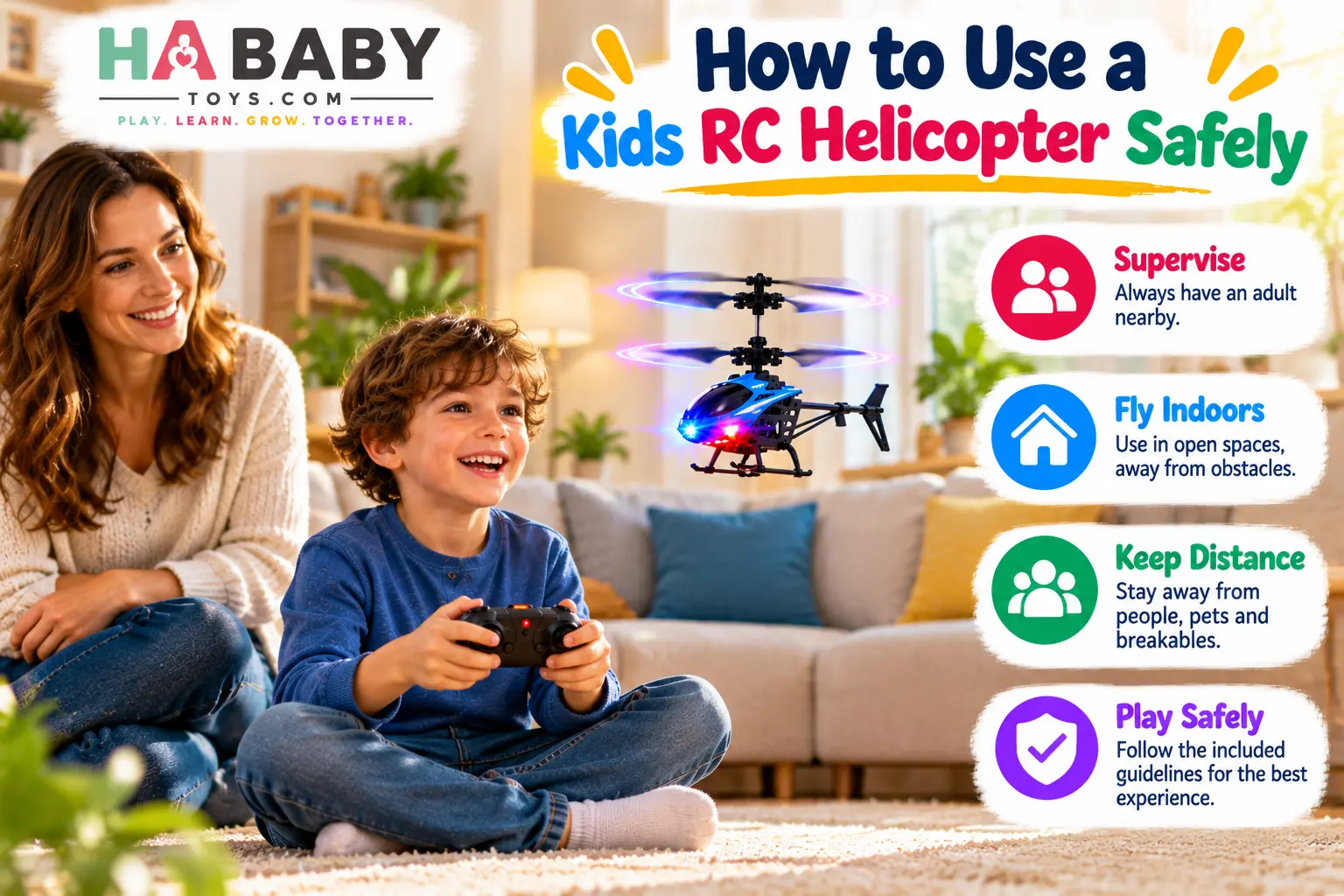
Step 9: Practice Controlled Landings
Reduce height slowly
Lower throttle gradually rather than dropping the helicopter.
Avoid dropping from height
A soft controlled descent is safer for the toy and the floor.
Aim for a clear landing area
Land in the marked takeoff and landing zone.
Let rotors stop fully before pickup
Wait until the blades stop moving before touching the toy.
Controlled landings reduce crashes and extend the toy’s life significantly.
What If It Starts Drifting?
Possible reasons:
- Air currents
- Uneven calibration
- Control input
- Low battery
- Surface or sensor interference
Safe response:
Reduce height → regain control → land → reset if needed
What If It Flies Toward a Wall?
Do not panic and do not try to grab it mid-flight. Safer response:
- Reduce throttle and height
- Stop aggressive steering
- Land if possible
- Inspect after contact
Grabbing a moving toy is more dangerous than letting it bump into a wall.
What to Do After a Crash
Turn off power
Switch the helicopter off immediately.
Let rotors stop
Do not touch moving blades.
Inspect blades
Check for cracks, bends, or loose fit.
Check body and landing parts
Look for cracks, missing pieces, or bent landing skids.
Look for loosened components
Check the battery cover and any visible screws or clips.
Restart only if everything appears normal
If anything is damaged, stop flying until it is checked or replaced.
“Fall-Resistant” Does Not Mean Crash-Proof
A fall-resistant toy may tolerate minor drops better than a delicate hobby aircraft, but repeated hard crashes can still damage rotors, gears, motors, or electronics.
This is important for buyer expectations. Fall-resistant means more forgiving, not indestructible.
Can Kids Fly It Near Furniture?
Recommend avoiding:
- Shelves
- Mirrors
- Lamps
- TVs
- Glass tables
- Decorative items
A clear flight area should be created first. Even a short bump into a lamp or mirror can cause damage to the toy or the object.
Can It Be Used Near Windows?
Avoid flying close to open windows or doors, especially with lightweight helicopters.
Reasons:
- The toy may leave the room
- Air currents can affect control
- Recovery may be difficult
Turn Ceiling Fans Off Before Flight
A moving ceiling fan creates strong air currents, and a helicopter can be pulled upward or sideways into the blades. This is one of the biggest indoor flight hazards. Always turn the fan off before flying.
Can It Be Used Outdoors?
This depends on the model. Lightweight kids helicopters may struggle in wind, so outdoor use should only happen if the manufacturer permits it and conditions are calm.
Avoid:
- Wind
- Rain
- Roads
- Trees
- Crowds
- Power lines
For general recreational model aircraft guidance in the United States, the Federal Aviation Administration (FAA) publishes rules and resources for recreational fliers.
Indoor vs Outdoor Safety Comparison
| Consideration | Indoors | Outdoors |
|---|---|---|
| Wind | Minimal | Can affect control |
| Space | More limited | Larger |
| Obstacles | Furniture | Trees and buildings |
| Visibility | Usually controlled | Varies |
| Recovery | Easier | Can be harder |
| Best for beginners | Often | Depends on model |
LED Flight Safety
If the toy lights up:
- Use LEDs for visibility
- Keep the room bright enough to see obstacles
- Do not fly in complete darkness
- Avoid staring directly into very bright LEDs
A glowing helicopter looks more dramatic in dim light, but the room should still be bright enough to see where it is going.
The 10-Minute Parent-Child First Flight
A simple routine for a calm first session.
- Minutes 1–2: Inspect and explain the controls.
- Minutes 3–4: Practice takeoff and landing.
- Minutes 5–6: Practice low hover.
- Minutes 7–8: Try one small direction change.
- Minutes 9–10: Land, power off, inspect.
Parents comparing options before buying can also read why choose a rechargeable toy helicopter.
When to Stop the Flight Session
Stop if:
- Battery is weak
- Controls become inconsistent
- Helicopter gets hot
- Rotor becomes damaged
- Child becomes frustrated or reckless
- Room becomes crowded
No universal session length applies. Follow the toy’s behaviour and the child’s attention span rather than a clock.
Charging Safety After Play
- Turn helicopter off
- Let it cool if required
- Use the correct charger
- Charge on a non-flammable, stable surface
- Do not use damaged charging equipment
- Follow manufacturer instructions
Battery safety is worth taking seriously. Safe Kids Worldwide and the U.S. Consumer Product Safety Commission both publish guidance on battery safety and toy hazards, including lithium batteries.
Cleaning the Helicopter
- Power off first
- Use a soft dry cloth
- Remove dust or hair carefully
- Do not soak
- Keep water away from electronics
- Do not bend rotor blades while cleaning
Storage
- Store powered off
- Protect rotor blades
- Keep dry
- Keep away from heat
- Do not place heavy objects on top
- Store remote and charging cable together
Storage Rule
Protect the rotors. Bent or cracked blades are the most common reason a kids RC helicopter stops flying well. A small box or dedicated shelf solves most of it.
Common Mistakes to Avoid
Don’t do this
- Flying near faces
- Grabbing spinning rotors
- Flying under an active ceiling fan
- Using hard control movements
- Flying outdoors in wind
- Ignoring cracked blades
- Charging with damaged cables
- Continuing after a serious crash
- Flying near water
Do this instead
- Fly in a clear indoor space
- Wait for rotors to stop
- Turn ceiling fans off
- Use gentle control inputs
- Keep flights indoors
- Inspect blades before every session
- Use the recommended charger
- Stop flying after serious damage
- Keep the toy dry
60-Second Pre-Flight Checklist
- Rotor blades intact
- Battery charged
- Remote working
- Ceiling fan off
- Windows controlled or closed
- Pets and siblings clear
- Flight area free of breakables
- First hover kept low
- Landing zone clear
- Power off before handling
If you want to compare options before buying, explore the HA Baby Toys Remote Control Helicopter directly.
Ready for a beginner-friendly RC helicopter?
Explore the HA Baby Toys Shop →Frequently Asked Questions
How do you use a kids RC helicopter safely?
Charge it correctly, inspect the rotors, clear a large indoor area, turn off ceiling fans, keep people and pets back, start with a low hover, use gentle control inputs, land before picking it up, and switch it off before touching the rotors. The full process is covered above.
Where should a beginner fly it?
Start indoors in the emptiest suitable room available. The room should have a clear floor, no ceiling fan running, no fragile decorations, no pets moving through, and no open windows or stairs near the flight zone.
Can kids fly an RC helicopter indoors?
Yes, if the manufacturer permits it and the room is appropriate. A clear, calm room works best. Avoid crowded bedrooms, hallways, and areas with ceiling fans.
Should ceiling fans be turned off?
Yes, always. A moving ceiling fan creates air currents and poses a collision hazard. This is one of the biggest indoor flight hazards for small helicopters.
Can it be flown near windows?
Avoid flying close to open windows or doors. A lightweight helicopter can drift outside, and air currents near an opening can make control much harder. Close windows and doors before flying indoors.
Can children touch the rotors?
No. Keep fingers, hair, and loose clothing away from spinning blades. Turn the helicopter off before handling it, and stop using it if the blades are cracked or bent. The U.S. Consumer Product Safety Commission publishes toy safety guidance and recall information.
How high should beginners fly?
Start low. Beginners should hover just above the floor, land, and repeat before attempting higher flights or turns. Low flights are easier to control and cause less damage if something goes wrong.
What should I do after a crash?
Turn off the power, let the rotors stop, inspect the blades and body, check for loosened components, and restart only if everything appears normal. If anything is damaged, stop flying until it has been checked or replaced.
What if the helicopter drifts?
Drifting can happen from air currents, uneven calibration, control input, low battery, or sensor interference. Reduce height, regain control, land, and reset if needed.
Can it be flown outdoors?
Only if the manufacturer permits it and conditions are calm. Avoid wind, rain, roads, trees, crowds, and power lines. For general recreational model aircraft guidance in the United States, see the FAA recreational fliers page.
What if the remote stops responding?
Turn both devices off, check batteries, move closer, follow pairing instructions, and restart according to the manual. Do not open electronics or modify the transmitter. If the issue continues, contact the manufacturer or seller.
How should it be charged?
Use the supplied or recommended charging method. Charge on a dry, stable, non-flammable surface, keep it away from heat, do not cover the toy while charging, and stop using damaged cables. Follow the manufacturer’s instructions for your specific model.
How should the rotors be cleaned?
Power off first, then use a soft dry cloth to remove dust and hair carefully. Do not soak the toy, and do not bend the rotor blades while cleaning.
How should it be stored?
Store powered off, protect the rotor blades, keep it dry, keep it away from heat, and do not place heavy objects on top. Store the remote and charging cable together so the set stays complete. The HA Baby Toys FAQ also answers common product and ordering questions.
Where can I buy the HA Baby Toys remote control helicopter?
Visit the HA Baby Toys shop to see the remote control helicopter and other flying toys. Families can also browse the 3+ Years category for related products. Retailers and larger buyers can request a quote from HA Baby Toys.
The Short Version for Busy Parents
Using a kids RC helicopter safely is not complicated once you follow the five-step routine: check, clear, power, hover, land. The rest is consistency.
Inspect the toy before every flight. Charge it on a stable, non-flammable surface. Clear a room, turn the ceiling fan off, and keep people and pets back. Start low, use small control inputs, and land before handling. If it crashes, power off, inspect, and restart only if everything looks normal.
If your child enjoys flying toys, if you have a clear indoor space, and if you are ready to supervise, the toy can be a fun and rewarding beginner activity. If the rules are ignored — even occasionally — pausing the session and trying again another day is the safest response.
For more family-friendly toys and parent guides, HA Baby Toys offers products designed around everyday play. You can also browse the HA Baby Toys blog for more ideas on safe active play and screen-free activities.