
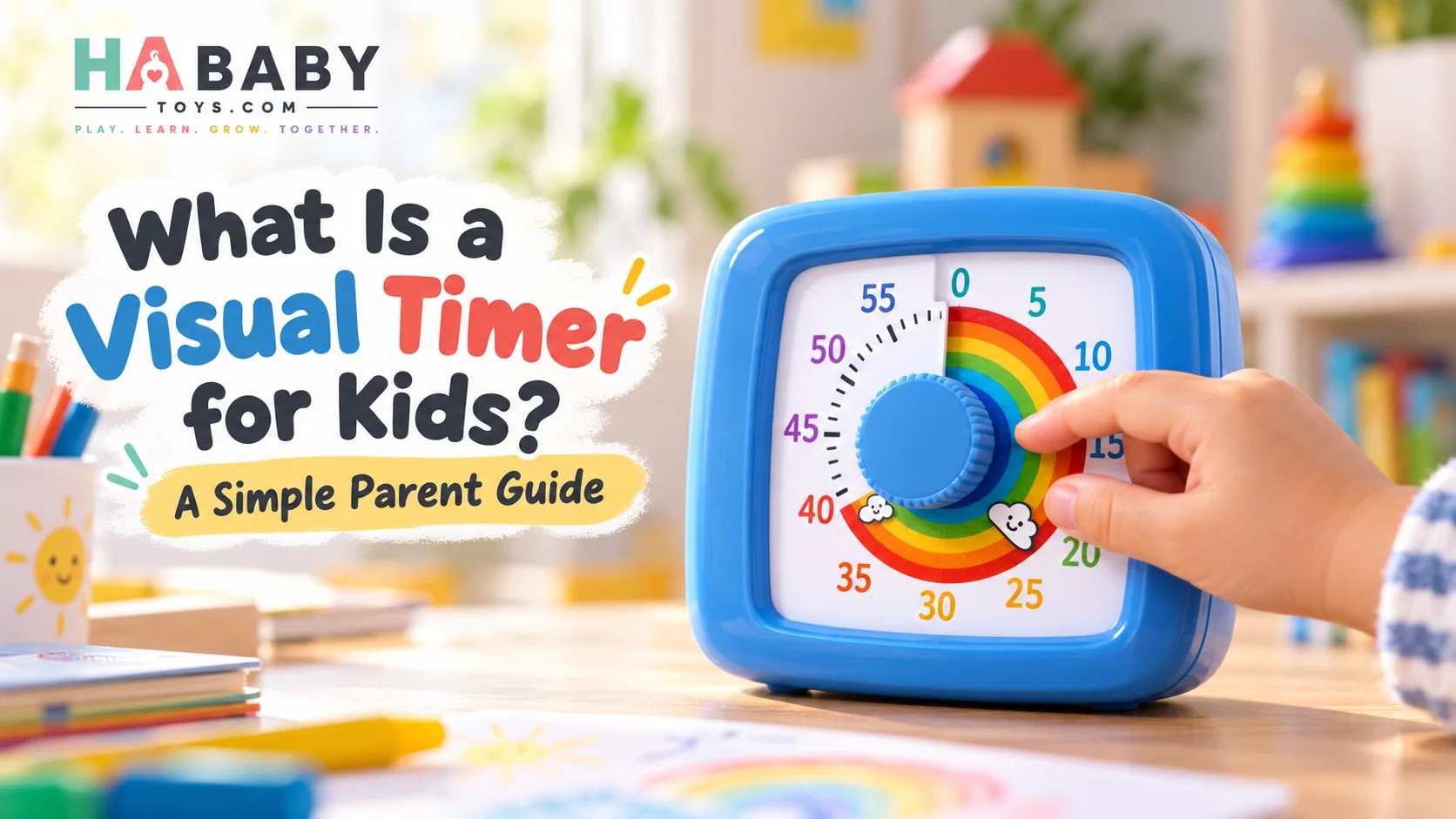
A visual timer for kids turns an abstract idea — time — into something children can see. Instead of only hearing a beep at the end, the child watches the remaining time gradually disappear as the countdown moves toward zero.
If you have seen these devices online and are not sure how they differ from a normal clock or a phone timer, this guide explains it in plain language. It covers what the device is, why time can be hard for young children to understand, what a 60-minute timer can be used for, and whether it makes sense for your household. Once you understand the basics, the guide on how to use a kids visual countdown timer walks through the practical setup step by step.
Quick Answer
A visual timer for kids is a countdown timer that displays remaining time in a visual way. Depending on the design, children may see a colored section, dial, light, or other indicator reduce as time passes.
It can be useful for:
- Morning routines
- Homework
- Reading
- Playtime
- Screen-time boundaries
- Getting dressed
- Tidying toys
- Tooth brushing
- Quiet time
- Classroom activities
A visual timer shows: “This is how much of the 10 minutes is still left.”
See Time Disappear
Four stages of a visual countdown
Visual Timer
Set. See. Prepare. Finish.
Set
Parent or child selects the countdown.
See
The remaining time becomes visually clear.
Prepare
The child can see that a transition is getting closer.
Finish
The timer reaches zero and the next activity begins.
Set → See → Prepare → Finish
What Exactly Is a Visual Timer for Kids?
A kids visual timer is different from a basic digital timer because the emphasis is not only on the number. A typical timer says:
08:42
A visual timer may show:
- A shrinking colored section
- A moving dial
- A diminishing light area
- A large countdown display
This gives children a more concrete sense of how much time remains. The idea is simple: instead of translating a number into a feeling of duration, the child sees time as a shape that reduces. For a young child who is still learning what “ten minutes” actually feels like, that visual change is much more meaningful than a digital readout.
Parents comparing this category can also read the guide on what a visual timer for kids is for a longer overview of the product category.
How Is a Visual Timer Different From a Normal Clock?
A clock tells you what time it is. A visual timer shows how much time is left. That is the simplest way to describe the difference, and it is also the reason visual timers work well for routines and transitions.
| Feature | Visual Timer | Regular Clock |
|---|---|---|
| Shows current time | Sometimes | Yes |
| Shows time remaining | Yes | Not directly |
| Easy countdown view | Strong | Limited |
| Useful for transitions | Yes | Requires explanation |
| Can be set for short tasks | Yes | Not usually |
| Child can see progress | Yes | Less obvious |
How Is It Different From a Phone Timer?
A phone timer works well for many families, but a dedicated visual timer can make the countdown easier to notice without requiring a child to interact with a general-purpose device.
| Feature | Kids Visual Timer | Phone Timer |
|---|---|---|
| Dedicated purpose | Yes | No |
| Notifications and distractions | Usually none | Possible |
| Large visual countdown | Often | Depends |
| Child-friendly | Often | Not always |
| Easy to leave in one place | Yes | Phone may move |
| Screen temptation | Lower | Higher |
Neither option is universally better. A phone is always with you, while a dedicated visual timer stays in one place and shows the countdown without pulling attention onto a screen with other content.
What Is a 60-Minute Visual Timer?
A 60-minute visual timer lets users set countdowns anywhere within an hour, making it suitable for both short and longer activities.
Examples:
- 5 minutes — get dressed
- 10 minutes — toy cleanup
- 15 minutes — reading
- 20 minutes — homework block
- 30 minutes — quiet activity
- 45 minutes — study session
- 60 minutes — longer work period
That range is the reason a 60-minute timer is often more useful than a smaller 15- or 30-minute device. Parents who want to understand the buying case for a longer countdown can read why parents may choose a 60-minute visual timer for kids.
One Hour, Many Uses
What a 60-minute visual timer covers in a normal day
Shoes on
Quick morning task.
Cleanup
Tidy toys before dinner.
Reading
A short, focused reading block.
Homework
One manageable work block.
Quiet play
Calm, screen-free activity.
Study
Longer focus session.
Focus block
Extended work or creative time.
Why Time Can Be Hard for Children to Understand
Children often hear phrases like:
- “Five more minutes”
- “We’re leaving soon”
- “Wait a little longer”
But these phrases can feel vague. For a young child, “10 minutes” can be abstract. A visual countdown gives that amount of time a visible shape, which makes it easier to understand what is actually happening.
The CDC developmental milestone resources note that understanding of time and sequence develops gradually across the toddler and preschool years. The National Association for the Education of Young Children (NAEYC) also highlights the role of consistent routines in helping young children feel secure and in control. The ZERO TO THREE organization offers practical guidance on transitions in early childhood.
Common Everyday Uses
This is where the timer moves from a concept to something you actually use. These are the most common ways parents put a visual timer to work.
Morning routine
Use the timer for getting dressed, brushing teeth, packing school items, and putting shoes on.
Homework
Set a manageable focus block rather than an open-ended session.
Reading time
Use 10–20 minutes as a simple reading routine.
Toy cleanup
Show that cleanup has a clear beginning and end.
Playtime transition
Warn before it is time to stop, using the visible countdown.
Mealtimes
Use only if appropriate for the family — avoid turning eating into pressure.
Bath or bedtime routine
Use the timer to structure steps rather than force sleep.
Screen-time transitions
Use it to show how much time remains before a device is put away.

The “Transition Warning” Strategy
Instead of suddenly saying “Turn it off now,” try a gradual sequence:
10 minutes left → 5 minutes left → 1 minute left → finished
The visual timer supports this process because the child can see the countdown rather than receiving a surprise ending. It may make transitions feel more predictable, although every child responds differently.
Parent Tip
Say the same thing each time — “When the timer finishes, we put the toys away” — and follow through consistently. Predictable language makes the transition easier, not the timer alone.
Visual Timer for Toddlers
For younger children:
- Keep countdowns short
- Pair the timer with simple language
- Use the same routine repeatedly
- Avoid too many timer rules
For example: “When the red part is gone, we put the blocks away.” Keep instructions concrete and avoid abstract phrases like “soon” or “later.”
Visual Timer for School-Age Kids
Possible uses:
- Homework blocks
- Reading
- Piano practice
- Getting ready for school
- Packing a bag
- Chores
The timer is not only for toddlers. For older children, it can become a simple, low-friction way to structure focused work without needing an adult to keep prompting.
Visual Timer in the Classroom
Teachers use visual timers for a range of activities:
- Independent work
- Reading stations
- Group activities
- Cleanup
- Transition between lessons
- Test practice
- Classroom games
The Understood.org organization provides practical guidance on routines and time-awareness tools for children who benefit from visual structure. Classroom use of a visual timer often pairs well with existing routines rather than replacing them.
Can Adults Use It Too?
Since the same design can serve both kids and adults, this is a useful practical section. Adults may use a visual countdown for:
- Pomodoro sessions
- Study blocks
- Meetings
- Cooking prep
- Desk work
- Break reminders
- Exercise intervals
A visual countdown works just as well at a desk as it does in a playroom. The benefits — visible time, less mental math, less need to check a phone — apply to adults in the same way.
What Is the Pomodoro Method?
The Pomodoro Technique typically uses focused work periods separated by short breaks. A 60-minute timer can be used for:
25 minutes focus → 5 minutes break
or other preferred intervals. You can read the formal definition and history of the technique at the official Pomodoro Technique resource. A visual timer fits this method well because the countdown is visible at a glance.
Night-Light Feature: What Is It Useful For?
Since many visual timers for kids include a built-in night light, it is worth explaining what that feature actually does.
Potential uses:
- Gentle visibility in a dark room
- Bedside use
- Evening routines
- Nighttime timing
A built-in night light can make the timer easier to locate or use during evening routines without needing a bright room light. It is a practical convenience feature, not a sleep aid.
Avoid claims such as “improves sleep,” “treats fear of darkness,” or “supports melatonin.” A night light is about visibility and convenience, not a sleep solution.
Day Mode & Evening Mode
How the same timer fits different parts of the day
Day Mode
- Homework
- Cleanup
- Reading
- Play transitions
- Study blocks
Evening Mode
- Pajamas
- Story time
- Wind-down routine
- Low-light visibility
- Bedside use
How Parents Can Introduce the Timer
Introduce the timer before you need it for a difficult transition. Practicing when everyone is calm makes the device feel normal rather than a tool that appears only when things are stressful.
Show the timer before using it
Let the child look at it and see how it works with a short practice countdown.
Set a short countdown
Start with 1–2 minutes so the child sees the full cycle.
Explain what happens when it reaches zero
“When the timer finishes, we put the toys away.”
Follow through consistently
The timer only works if the ending actually happens.
Keep the tone neutral
The timer represents time, not consequences.
For a full step-by-step tutorial on setup and routines, read the guide on how to use a kids visual countdown timer.
Avoid Using the Timer as a Threat
Do not frame it as:
“If you don’t finish before this timer ends, you’re in trouble.”
Instead, frame it as:
“This timer shows how much time we have.”
The timer should represent time, not punishment. That distinction makes the device easier to use and easier for the child to accept over time.
What If My Child Ignores the Timer?
Possible reasons:
- Countdown is too long
- Child does not understand what it means
- Timer is not visible
- Parent changes the rule each time
- Activity is highly engaging
Try:
- Use shorter countdowns
- Keep the timer within view
- Give a verbal warning at the start of the countdown
- Use the same wording every time
- Practice during a low-stress activity
What If the Timer Makes My Child Anxious?
A timer is not helpful for every child in every situation. If a child becomes distressed:
- Reduce use
- Try shorter intervals
- Keep it out of high-pressure situations
- Use verbal cues instead
- Stop using it if it consistently increases stress
This is general guidance, not medical advice. If you have ongoing concerns about your child’s response to transitions or anxiety, speak with a pediatrician or child development professional.
Quick Troubleshooting Table
| Problem | Try This |
|---|---|
| Child ignores timer | Move it into clear view |
| Child gets upset at zero | Give 5-minute and 1-minute warnings |
| Countdown feels too long | Start with shorter intervals |
| Child keeps resetting it | Keep controls parent-managed initially |
| Timer is distracting | Move it slightly farther away |
| Child does not understand it | Demonstrate with a 1-minute practice countdown |
Visual Timer vs Reward Chart
They solve different problems.
- A timer answers: “How long?”
- A reward chart answers: “What did I complete?”
Parents can use them separately or together. A timer helps with transitions and duration, while a reward chart tracks accomplishments and consistency.
Visual Timer vs Stopwatch
Countdown timer
Starts at a chosen time and moves toward zero.
Stopwatch
Starts at zero and counts upward.
For routines and transitions, a countdown is often easier when the question is: “How much time is left?” A stopwatch is better when the question is: “How long has it taken so far?”
Safety and Practical Considerations
Before and during use
- Follow manufacturer instructions
- Keep charging cables managed
- Inspect for damage
- Use child-safe placement
- Keep liquids away unless the device is rated for them
- Follow battery guidance
- Avoid excessive brightness near sleep if uncomfortable
- Keep volume or alarm comfortable
For product safety guidance, the U.S. Consumer Product Safety Commission publishes information on children’s products, recalls, and hazards. HealthyChildren.org from the American Academy of Pediatrics also covers safe play practices.
Who Is a Visual Timer Most Useful For?
Who Might Not Need One?
You may not need a dedicated visual timer if:
- A phone timer works perfectly for your household
- Your child already understands routine transitions well
- You prefer verbal cues
- You do not want another device on the desk
This is worth being honest about. A visual timer is a tool, not a requirement.
Before Buying a Kids Visual Timer, Ask:
- Is the countdown easy to see?
- Can I set short and long intervals?
- Does it support up to 60 minutes?
- Is the alarm adjustable or reasonable?
- Can my child understand the display?
- Is it easy to place on a desk or bedside table?
- Does it include useful extras such as a night light?
- Is it simple enough for everyday routines?
Parents ready to compare available options can browse the HA Baby Toys shop.
Ready to see a kids visual timer in action?
Explore the HA Baby Toys Shop →Frequently Asked Questions
What is a visual timer for kids?
It is a countdown timer that shows remaining time in a visual way. Instead of only displaying numbers, it may show a shrinking colored section, a moving dial, or a diminishing light. Children can see time passing rather than trying to translate a number into how long it feels.
How does a kids visual timer work?
You set a countdown, and the timer visually reduces as time passes. When it reaches zero, an alarm or signal marks the end. Many models let you set anything from a few minutes up to 60 minutes.
Why use a visual timer instead of a normal timer?
A normal timer shows numbers. A visual timer shows remaining time as a shape or area. For young children who are still learning what “ten minutes” actually feels like, the visual version is often easier to understand.
What is a 60-minute visual timer?
It is a visual timer that can be set for any countdown up to one hour. That makes it useful for short tasks like getting shoes on and longer tasks like study blocks or quiet reading.
Can toddlers use a visual timer?
Many toddlers can understand a visual timer with parent support. Keep countdowns short, pair the timer with simple language, and use the same routine repeatedly. Follow the manufacturer’s age guidance.
Can a visual timer help with transitions?
It can make transitions feel more predictable because the child can see the countdown approaching zero. That said, every child responds differently, and the timer works best alongside consistent, calm language from a parent.
How do I introduce a countdown timer to my child?
Show the timer during a calm moment, set a short practice countdown, explain what happens at zero, follow through consistently, and keep your tone neutral. Practicing before you need it for a difficult transition makes a big difference.
Can I use a visual timer for homework?
Yes. A 20-minute block is a common starting point. The visual countdown helps children see that the work has a defined end, which can make it feel more manageable.
Can teachers use visual timers in classrooms?
Yes. Teachers use visual timers for independent work, reading stations, group activities, cleanup, and transitions between lessons. The Understood.org organization provides practical guidance on routines and time-awareness tools for children.
Can adults use the same timer?
Yes. Adults use visual timers for Pomodoro sessions, study blocks, desk work, cooking prep, break reminders, and exercise intervals. A visual countdown works the same way for an adult at a desk as it does for a child at a table.
What is the difference between a countdown timer and stopwatch?
A countdown timer starts at a chosen time and moves toward zero. A stopwatch starts at zero and counts upward. For routines and transitions, a countdown is usually easier.
Can a visual timer be used for Pomodoro sessions?
Yes. A 60-minute visual timer can be used for 25-minute focus blocks and 5-minute breaks, or any other interval that suits your routine. The official Pomodoro Technique resource explains the standard method.
Is a visual timer good for bedtime routines?
It can help structure the steps — pajamas, teeth, story — without turning bedtime into a pressure situation. Audio or visual reminders at bedtime do not automatically improve sleep, but they can make the routine feel more predictable.
What should I do if my child dislikes the timer?
Reduce use, try shorter intervals, keep it out of high-pressure situations, and use verbal cues instead. If the timer consistently increases stress, stop using it. This is general guidance, not medical advice — speak with a pediatrician if you have ongoing concerns. The HA Baby Toys FAQ also answers common product and ordering questions.
What should I look for when buying one?
Look for a visible countdown, adjustable intervals, support for up to 60 minutes, a reasonable alarm, easy placement, and any useful extras like a night light. If you want a broader look at the buying case, see why parents may choose a 60-minute visual timer for kids. Retailers and larger buyers can also request a quote from HA Baby Toys.
The Short Version for Busy Parents
A visual timer for kids is a simple tool with one specific job: making time visible. It does not replace a clock, a phone timer, or a reward chart. It adds a clear, countdown-shaped view of how much time is left, which is often exactly what young children need during routines and transitions.
If your child responds well to seeing time pass, if you want a dedicated device that stays in one place, and if you like the idea of a 60-minute range that covers everything from getting shoes on to study blocks, a visual timer can be a genuinely useful addition to the household. If you already have a system that works, or if your child finds timers stressful, you can skip it without guilt.
For more practical parent guides and family-friendly products, HA Baby Toys offers tools designed around everyday family routines. You can also browse the HA Baby Toys blog for more guides on routines, transitions, and screen-free play.