
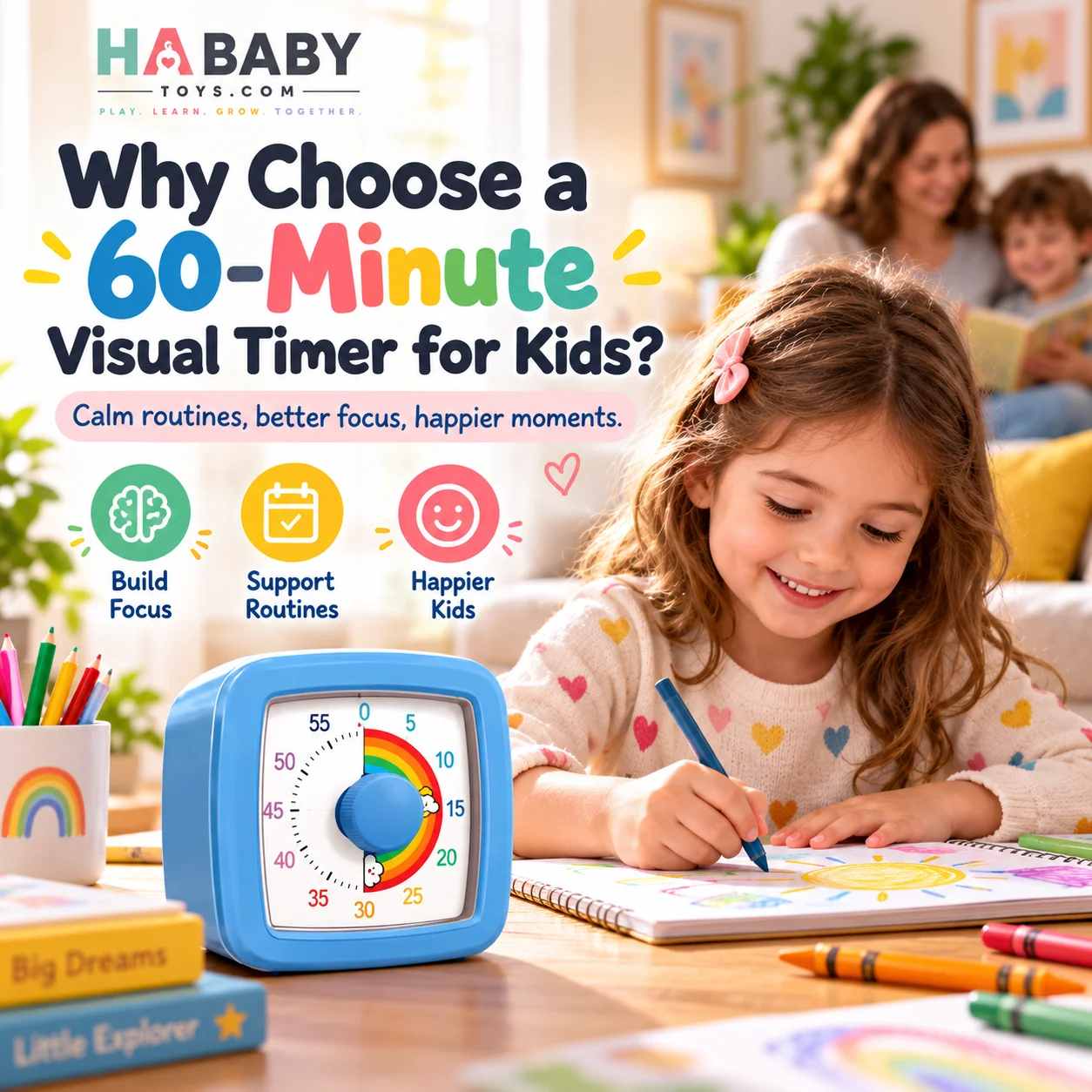
A 60-minute visual timer can make time easier to understand because it shows the countdown in a visible, concrete way. For children, that can make routines, homework, transitions, cleanup, and waiting feel more predictable than simply hearing “five more minutes.”
If you already have a phone and a kitchen clock, the honest question is: why buy a dedicated timer at all? This guide answers that. It covers what a 60-minute range actually gives you, where a visual timer genuinely helps, where it does not, and how to decide whether it earns a place in your home or classroom. If you are new to the category entirely, start with the guide on what a visual timer for kids is.
Why Choose One?
A 60-minute visual timer may be useful if you want:
- A clear visual countdown
- Fewer phone distractions
- Help structuring routines
- A timer for homework and reading
- A simple transition tool
- A classroom-friendly countdown
- Pomodoro-style focus sessions
- A device that can also work for adults
Why Visual Time Helps
Six reasons behind the countdown
60-Minute Timer
One device, many uses
See
The remaining time is visible.
Understand
A child connects the visual area with “how much is left.”
Prepare
The countdown makes the ending less sudden.
Focus
The timer gives one task a clear time boundary.
Finish
The activity has a visible end.
Reset
The same tool can be reused for another routine.
See → Understand → Prepare → Focus → Finish → Reset
Benefit 1: Time Becomes More Concrete
“Ten minutes” is an abstract idea, especially for younger children. A visual timer gives those ten minutes a shape that gradually disappears. Instead of translating a number into a feeling of duration, the child sees time as an area that reduces.
Example:
- 30 minutes left: large visible area
- 10 minutes left: smaller visible area
- 1 minute left: almost gone
This is much easier to understand than repeatedly checking a clock. The CDC developmental milestone resources note that understanding of time and sequence develops gradually across the toddler and preschool years, which is why visual tools often make more sense than numerical ones at this stage.
Benefit 2: Transitions Can Feel More Predictable
Transitions are one of the most common daily friction points. Examples:
- Stop playing
- Leave the house
- Start bath time
- End screen time
- Clean up toys
- Move from one school activity to another
The timer does not remove every protest, but it can make the end of an activity easier to anticipate. The ZERO TO THREE organization notes that young children handle transitions better when they can predict what is coming next. The National Association for the Education of Young Children (NAEYC) similarly highlights the role of consistent routines in helping young children feel secure.
Benefit 3: Less Dependence on a Phone Timer
A phone timer works — but it also comes with notifications, calls, apps, messages, video temptations, and a screen that may attract attention. A dedicated visual timer has one main job: show the countdown.
| Feature | 60-Minute Visual Timer | Phone Timer |
|---|---|---|
| Dedicated countdown | Yes | Yes |
| Visual time remaining | Strong | Depends |
| Notifications | No | Possible |
| Child-friendly | Often | Not always |
| Easy to leave visible | Yes | Phone may move |
| Multi-purpose distraction | Low | Higher |
This is not an argument against phones. It is an argument for one less thing competing for attention during a routine.
Benefit 4: Useful Across Many Daily Routines
This is where a dedicated timer stops being a novelty and starts being a tool.
Morning routine
Use for dressing, brushing teeth, shoes, and packing.
Homework
Create focused work blocks with clear beginnings and endings.
Reading
Set a clear reading period that has a defined end.
Cleanup
Show that cleanup has a clear end, not an open-ended chore.
Screen-time transition
Start the countdown before the activity begins.
Quiet time
Set a calm independent activity block.
Bedtime routine
Use for steps such as bath, pajamas, and story time.
Classroom transitions
Give the whole group a visible end point.
One Timer, Many Routines
Eight natural uses in a normal day
Morning
Getting dressed and out the door.
Homework
Short focus blocks with breaks.
Reading
Defined reading time.
Cleanup
A clear end to tidy time.
Screen time
Countdown before the device is opened.
Bedtime
Steps like bath, pajamas, story.
Classroom
Group activities and transitions.
Adult focus
Desk work and Pomodoro sessions.
Benefit 5: The Full 60-Minute Range Gives Flexibility
Short timers may work for:
- 3-minute transition
- 5-minute cleanup
- 10-minute activity
But a 60-minute timer can also handle:
- 20-minute homework
- 30-minute reading
- 45-minute class activity
- 60-minute focus session
This makes one timer useful for both quick transitions and longer tasks. It is the difference between a device that works only for toddler routines and one that stays useful as your child gets older.
Benefit 6: Useful for Toddlers and Older Children
For toddlers
Use shorter periods:
- 1 minute
- 3 minutes
- 5 minutes
- 10 minutes
Pair it with simple language: “When the red part is gone, bath time.”
For school-age children
Use:
- 15-minute reading
- 20-minute homework
- 30-minute project
- 45-minute study block
The point is flexibility, not rigid age rules. The Raising Children Network and the NHS baby development guidance both note that attention spans and play preferences vary widely at this stage.
Benefit 7: Can Support Independent Routine Awareness
Instead of the parent constantly saying:
- “Five minutes left.”
- “Three minutes left.”
- “One minute left.”
the child can also look at the timer. Over time, this can gradually make the countdown less dependent on repeated reminders. It does not create independence automatically, but it gives children a way to check time for themselves.
Benefit 8: Useful in Classrooms
Possible classroom uses:
- Group work
- Independent reading
- Cleanup
- Activity stations
- Test practice
- Transition between subjects
- Break timing
Teachers can place the timer where the whole group can see it, which removes the need for repeated verbal updates. The Understood.org organization provides practical guidance on classroom routines and time-awareness tools for children who benefit from visible structure.
Benefit 9: Useful for Homework and Focus
A visual timer can create a clear “work now, stop later” boundary. Example:
20 minutes homework → 5 minutes break
or
25 minutes focus → 5 minutes break
This naturally connects with Pomodoro-style work. You can read the formal definition and history of the technique at the official Pomodoro Technique resource.

Benefit 10: Adults Can Use It Too
Because the product also targets adults, the same timer can serve the whole household:
- Pomodoro sessions
- Desk work
- Study
- Exercise intervals
- Cooking prep
- Meetings
- Break reminders
That increases perceived value. A device that only helps a toddler has a shorter useful life than one that also works for the parent working from home.
60-Minute Visual Timer vs Stopwatch
Countdown timer
Starts from a chosen duration and moves toward zero. Best for: “How much time is left?”
Stopwatch
Starts at zero and counts upward. Best for: “How long did this take?”
For routines and transitions, countdowns are generally easier to understand. A stopwatch is more useful for tracking duration after the fact.
60-Minute Visual Timer vs Regular Clock
A clock shows: 3:42 PM
A visual timer shows: about 18 minutes remain
Different tools for different jobs. A child may know how much time remains more easily from a countdown than from calculating clock differences.
Why a Dedicated Timer Can Be Easier for Kids
A dedicated timer has fewer unrelated functions. That means the child sees:
time
rather than:
time + apps + notifications + games + video
This is a practical point, not an anti-technology argument. Dedicated tools often work better because they remove decisions and distractions from the moment.
Night-Light Feature: Extra Practical Value
Because many visual timers include a night light, this deserves its own section.
Potential uses:
- Finding the timer in a dim room
- Evening reading
- Bedside routine
- Low-light countdown visibility
A night-light feature can make the timer easier to use during evening routines without requiring bright room lighting. It is a visibility feature, not a sleep treatment.
Day to Night
The same timer fits both ends of the day
Day
- Homework
- Classroom
- Cleanup
- Reading
- Play
- Study blocks
Evening
- Bath
- Pajamas
- Story
- Quiet time
- Wind-down routine
- Bedside use
Can a Visual Timer Help With Screen-Time Boundaries?
Yes, if you set it up the right way.
Decide the time before screen use starts
Agreeing in advance is easier than negotiating mid-activity.
Set the timer
Do it before the device is opened.
Keep it visible
Place it where the child can see it without turning away from the screen.
Give a warning near the end
“Five minutes left.”
Follow through
Put the device away at zero, calmly.
The key point: the visual timer does not create the rule — it makes the existing rule visible. For broader family media guidance, the American Academy of Pediatrics and HealthyChildren.org both publish balanced recommendations.
Can It Help With Homework Resistance?
It can make a task feel finite. Instead of:
“Do homework.”
Try:
“Let’s work until this 20-minute timer finishes.”
Then take an appropriate break. This can make the task feel more manageable, but it will not eliminate every problem. It changes the frame from open-ended work to a bounded session, which is often enough to reduce resistance.
Can It Help With Cleanup?
Yes, as a structure tool. Example:
“We have five minutes to put the toys away.”
You can also make it playful: “Can we finish before the red section disappears?” But avoid turning every routine into competition. The timer should reduce friction, not add pressure.
What If My Child Hates Timers?
A timer is not right for every child. If the countdown increases stress:
- Stop using it temporarily
- Try shorter periods
- Remove the alarm if adjustable
- Use verbal transitions instead
- Introduce it during low-pressure activities
This is general guidance, not medical advice. If your child consistently finds countdowns distressing, speak with a pediatrician or child development professional.
What the Timer Cannot Do
This matters for trust. A 60-minute visual timer is a tool, not a solution.
A visual timer does not:
- Guarantee cooperation
- Prevent every tantrum
- Replace parenting or teaching
- Make every child understand time instantly
- Need to be used for every activity
What it can do:
- Make time visible
- Create clearer boundaries
- Support predictable routines
- Reduce repeated verbal reminders
- Structure work and breaks
Who Is This Timer Best For?
Who Might Not Need One?
This is worth being honest about. You may not need a dedicated visual timer if:
- Your phone timer already works perfectly
- Your child dislikes visible countdowns
- You rarely use timed routines
- You prefer verbal transitions
- You do not need longer timing periods
That is not a weakness of the product — it is simply a boundary of when it is most useful.
Choose a 60-Minute Visual Timer If:
- You want children to see time remaining
- You use timers for daily routines
- You need both short and long countdowns
- You want a dedicated alternative to a phone
- You need something for homework or classroom use
- Adults in the home may also use it
- A night-light feature would be useful
- You want one device for transitions and focus
Parents looking for related products can browse the HA Baby Toys shop.
Ready to put a 60-minute visual timer to work in your routine?
Explore the HA Baby Toys Shop →Frequently Asked Questions
Why choose a 60-minute visual timer for kids?
Because it makes remaining time visible rather than only showing numbers. Children can see the countdown reduce as time passes, which often makes routines and transitions easier to anticipate. A 60-minute range also covers both short and long activities.
What is the benefit of a visual countdown?
A visual countdown gives time a shape. Instead of translating a number into a feeling of duration, the child sees an area or dial reduce as the countdown moves toward zero. That is often easier for young children to understand.
Is a visual timer better than a phone timer?
Not universally better, but more focused. A phone timer is always available, but it also brings notifications, apps, and other distractions. A dedicated visual timer has one main job and stays in one place.
Why is a 60-minute range useful?
Because one device covers quick transitions (3–5 minutes), routine steps (10–20 minutes), and longer focus sessions (30–60 minutes). A shorter timer would not handle homework blocks or study sessions as well.
Can toddlers use visual timers?
Many toddlers can understand a visual timer with parent support. Keep countdowns short, use one simple instruction, keep the timer visible, and use the same words each time. Always follow the manufacturer’s age guidance.
Can school-age children use them for homework?
Yes. Try 20-minute work blocks with short breaks, or 25-minute focus blocks with 5-minute breaks. The visual countdown helps children see that the work has a defined end.
Can teachers use visual timers in classrooms?
Yes. Teachers use them for group work, independent reading, cleanup, activity stations, test practice, and transitions between subjects. The Understood.org organization provides practical guidance on classroom routines and time-awareness tools.
Can adults use the same timer?
Yes. Adults use visual timers for Pomodoro sessions, study blocks, desk work, exercise intervals, cooking prep, and break reminders. A visual countdown works the same way for adults as it does for children.
Can a visual timer help with transitions?
It can make transitions feel more predictable because the child can see the countdown approaching zero. That said, every child responds differently, and the timer works best alongside consistent, calm language from a parent.
Can I use it for screen-time limits?
Yes. Set the timer before the device is opened, keep it visible, give a warning near the end, and follow through. The visual timer does not create the rule — it makes the existing rule visible. The American Academy of Pediatrics and HealthyChildren.org publish balanced family media guidance.
What if my child becomes anxious about the countdown?
Reduce use, try shorter intervals, keep it out of high-pressure situations, and use verbal cues instead. Stop using it if it consistently increases stress. This is general guidance, not medical advice.
What is the difference between a countdown timer and stopwatch?
A countdown timer starts at a chosen time and moves toward zero — best when asking “How much time is left?” A stopwatch starts at zero and counts upward — best when asking “How long did this take?”
Can I use a 60-minute timer for Pomodoro sessions?
Yes. A 60-minute visual timer fits the Pomodoro method well. The typical pattern is 25 minutes focus, then 5 minutes break. The official Pomodoro Technique resource explains the standard method.
Is a night-light feature useful?
A night-light feature makes the timer easier to see in a dim room, which can help with evening routines like story time or wind-down. It is a visibility feature, not a sleep treatment. The HA Baby Toys FAQ also answers common product and ordering questions.
What should I look for before buying a visual timer?
Look for a visible countdown, adjustable intervals, support for up to 60 minutes, a reasonable alarm, easy placement, and any useful extras like a night light. For practical setup tips, see how to use a kids visual countdown timer. Retailers and larger buyers can also request a quote from HA Baby Toys.
The Buyer’s Bottom Line
A 60-minute visual timer is not a replacement for every timer in your house. It is a focused tool with a specific job: making time visible and giving routines a clear, predictable shape.
If you want a device that helps with transitions, homework, screen-time boundaries, and classroom or study sessions — and that also works for adults — it is a genuinely useful addition. If your phone timer already covers your needs, or if your child dislikes countdowns, you can skip it without losing anything.
For more practical parent guides and family-friendly products, HA Baby Toys offers tools designed around everyday family routines. You can also browse the HA Baby Toys blog for more guides on routines, transitions, and screen-free play.